
From blind box to Pixel Art: 6 Trending Styles to Transform Your Photos with AI
Are you tired of the same old selfies on your social media profiles? In the age of digital identity, your profile picture is your personal brand. Whether you are looking to spice up your Instagram, create a professional look for LinkedIn, or design a fun avatar for Discord, AI is changing the game.
We are excited to announce a major update to our AI Cartoon Generator! We’ve analyzed the hottest art trends across TikTok, Pinterest, and ArtStation to bring you 6 brand new styles.
Here is a deep dive into the new styles you can try right now to turn your photos into masterpieces.
1. The "blind box" Craze: 3D Blind Box Style
The world is obsessed with designer toys and blind boxes. Now, you don't need to buy a toy—you can become one.
Our new blind box / 3D Blind Box style transforms your portrait into a glossy, high-quality 3D character. With its signature "chibi" proportions, ceramic-like skin texture, and soft studio lighting, this style is perfect for users who want a cute, collectible aesthetic.
- Best for: Instagram avatars, cute couples photos, and 3D art enthusiasts.
- Keywords: 3D avatar maker, blind box style AI, blind box toy generator.
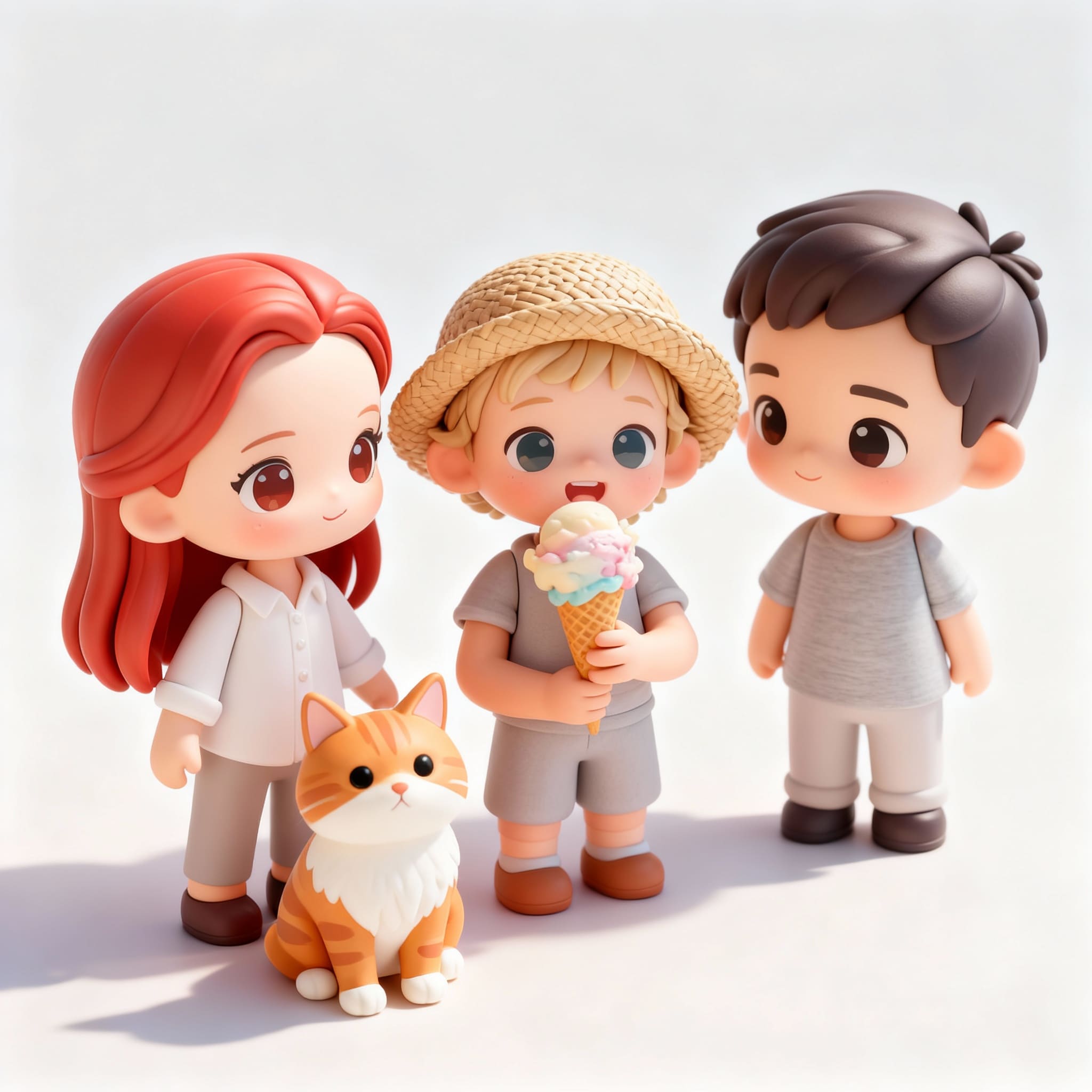 Transform your photo into a 3D Blind Box toy
2. Nostalgia Overload: 90s Retro Anime
Vaporwave and Y2K aesthetics are back. If you grew up watching Sailor Moon or Slam Dunk, you will love this.
The 90s Retro Anime style applies a vintage filter that mimics the classic cel-shading of the 1990s. It adds that authentic lo-fi, VHS grain texture and bold outlines that define the golden age of Japanese animation.
- Best for: Lo-fi music playlists, aesthetic Tumblr/Pinterest boards, and retro vibes.
- Keywords: 90s anime filter, vintage anime avatar, retro cartoon converter.
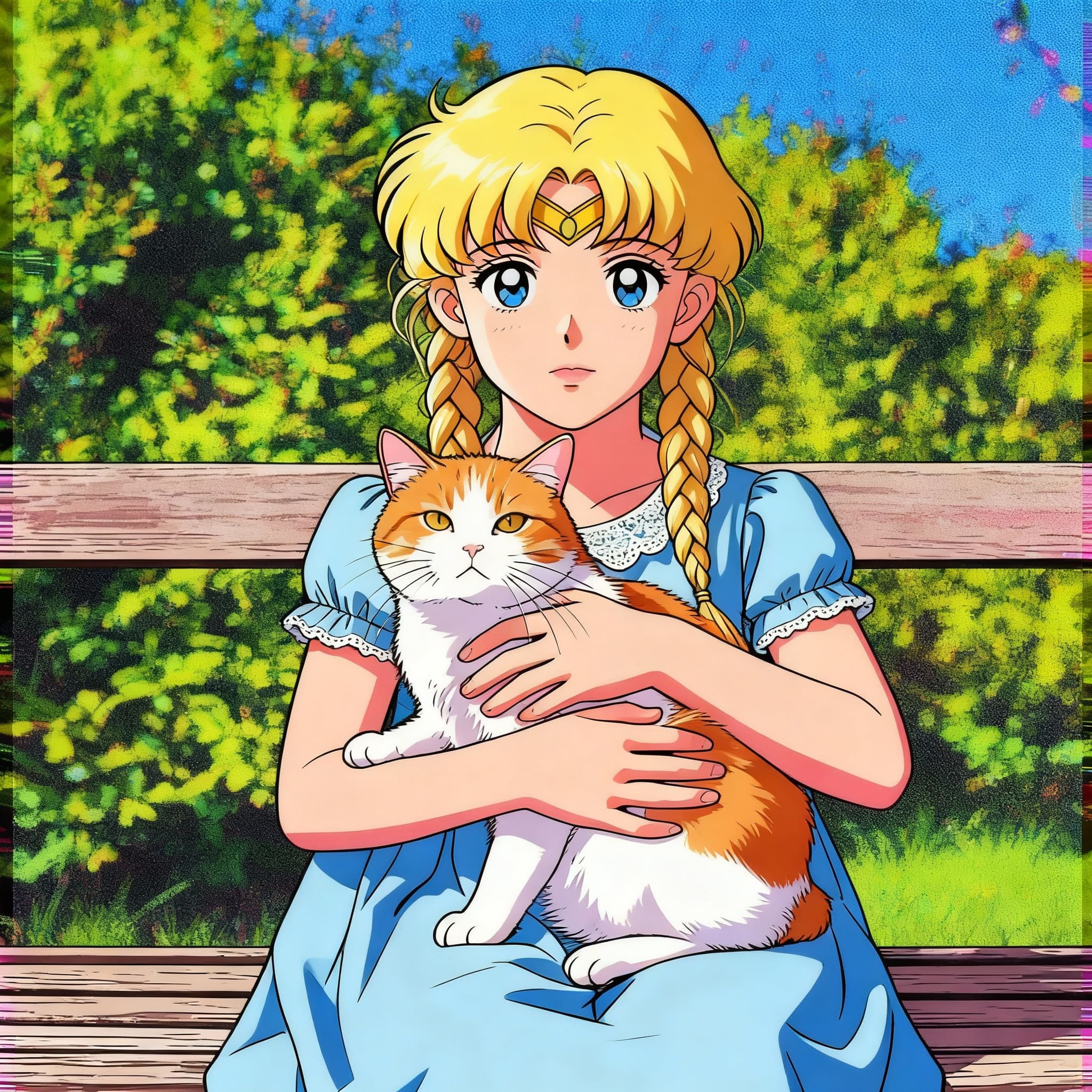 Get the classic 90s Anime aesthetic
3. Gamer’s Choice: Pixel Art
Retro gaming never goes out of style. Our Pixel Art style converts your photo into a crisp, 16-bit masterpiece.
Unlike basic filters that just blur your photo, our AI redraws your image with precise pixel placement, vibrant colors, and that classic "sprite sheet" look found in indie games and 80s/90s arcade classics.
- Best for: Discord profiles, Twitch streamers, and game developers.
- Keywords: 8-bit photo editor, pixel art generator from photo, retro game avatar.
.jpg) Level up your profile with Pixel Art
Level up your profile with Pixel Art
4. Pure Elegance: Dreamy Watercolor
Looking for something more artistic and soft? The Dreamy Watercolor style mimics the wet-on-wet technique of traditional painting.
With pastel colors, artistic ink outlines, and a paper-texture background, this style turns any selfie into a piece of fine art. It’s less "cartoon" and more "gallery-ready."
- Best for: Wedding invitations, romantic portraits, and artistic profile pictures.
- Keywords: AI watercolor painting, turn photo into art, digital watercolor portrait.
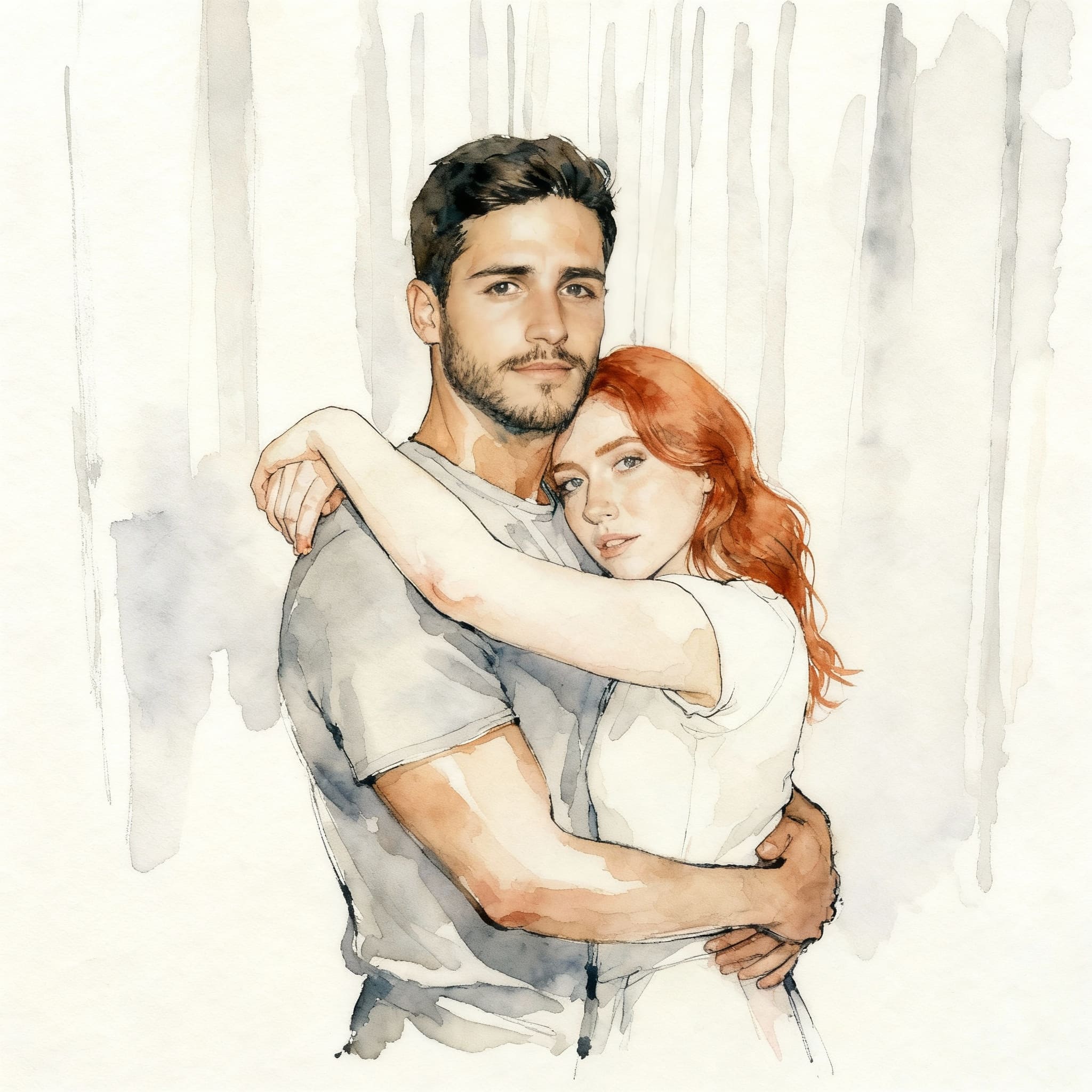 Artistic and soft Watercolor style
5. Professional & Clean: Vector Illustration
Need a profile picture that looks professional but stands out from a boring headshot?
The Vector Illustration style (often called "Flat Art" or "Corporate Memphis") creates a clean, minimalist image using bold geometric shapes and flat colors. This is the standard style for modern tech companies and startups.
- Best for: LinkedIn profile pictures, resume photos, and personal blogs.
- Keywords: Flat design avatar, corporate vector art, minimalist profile pic maker.
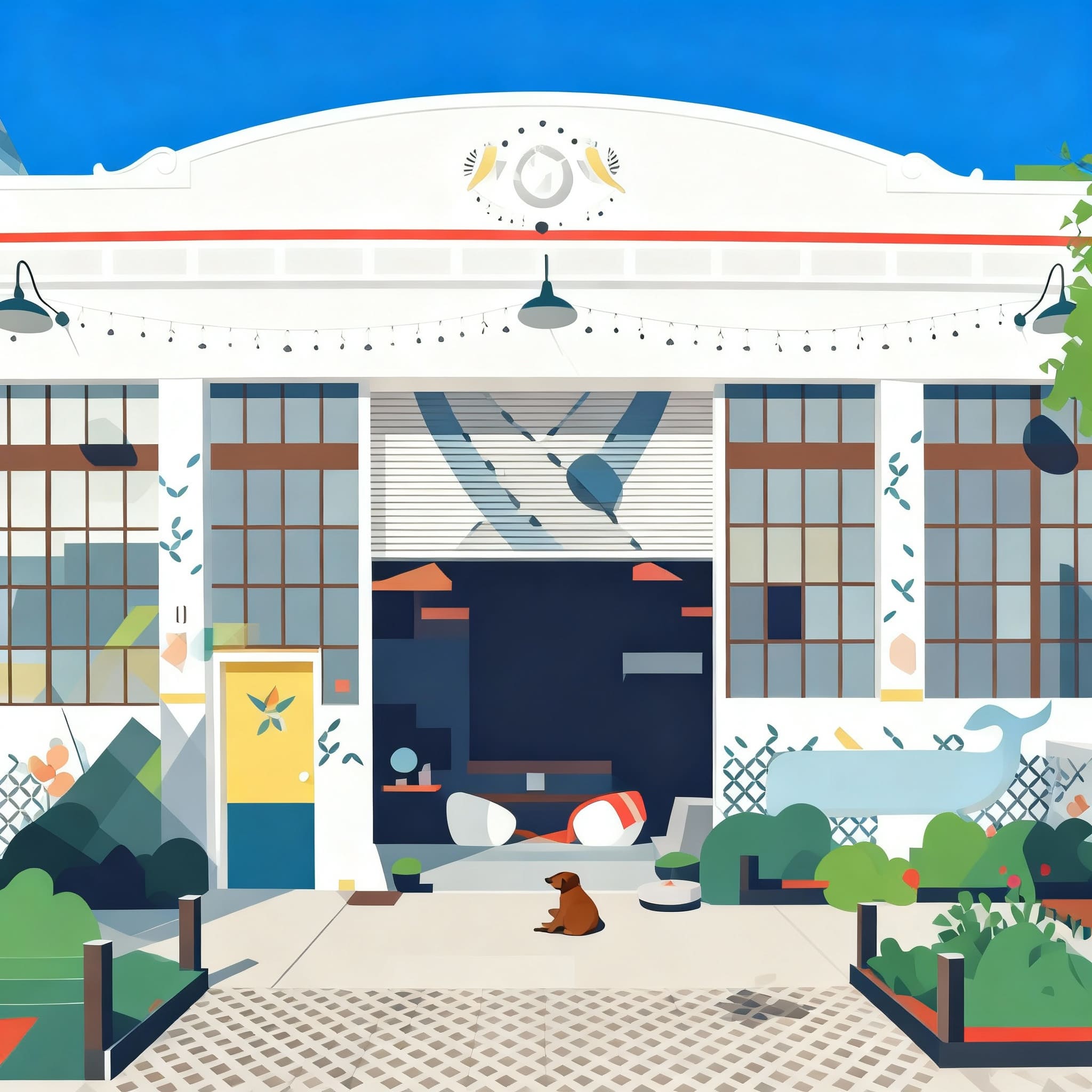 Clean and professional Vector Illustration
6. Sticker Mania: Vector Sticker
Want to turn your face into a WhatsApp or Telegram sticker?
The Vector Sticker style creates a bold, colorful illustration with a distinct white die-cut border (outline). These images pop off the screen and are ready to be used in your favorite messaging apps or even printed out as real stickers!
- Best for: Custom sticker packs, playful branding, and messaging app emojis.
- Keywords: Make your own stickers, photo to vector sticker, AI sticker generator.
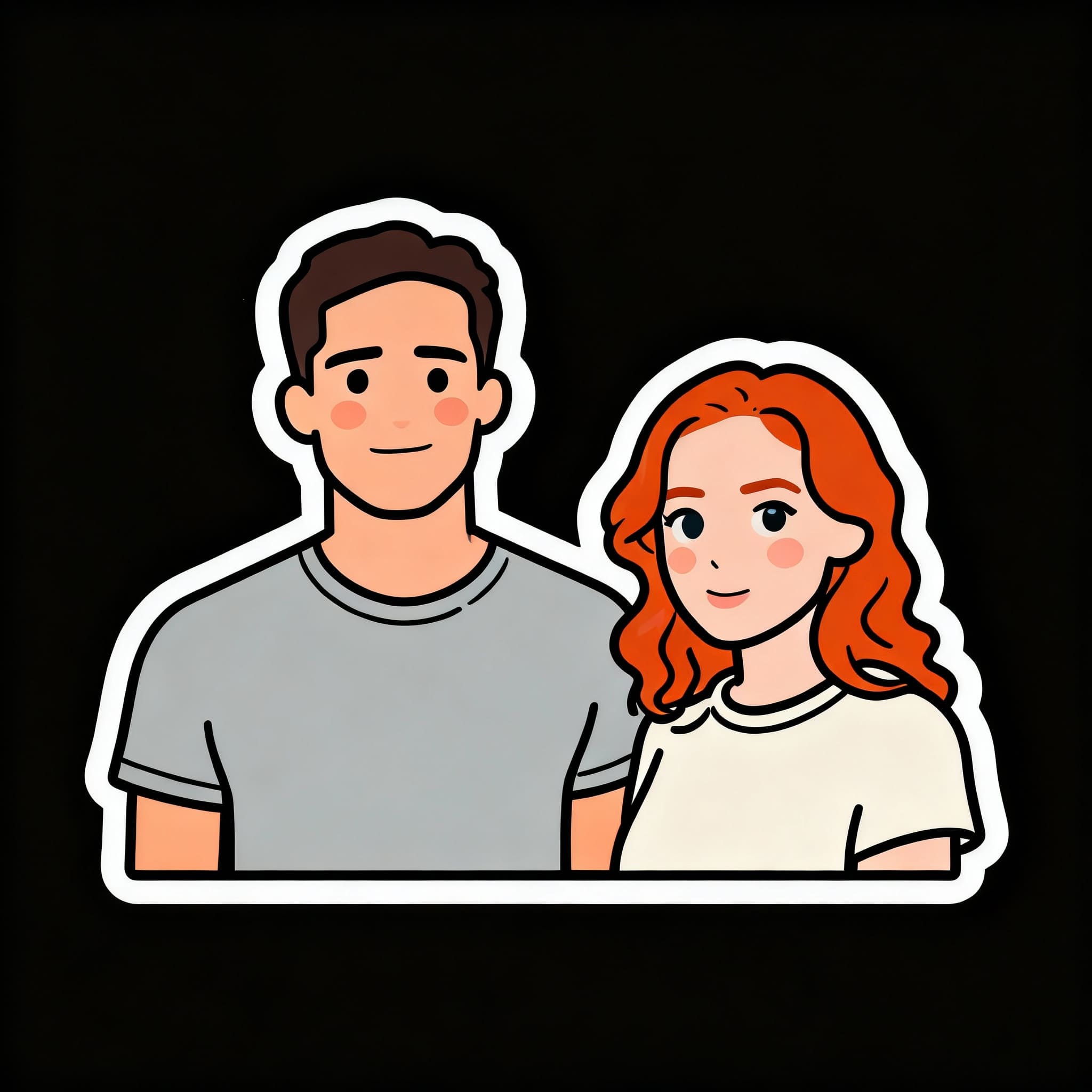 Turn your face into a custom Sticker
How to Generate Your AI Cartoon
Ready to try these styles? It takes less than 10 seconds:
- Go to the AI Cartoon Generator.
- Upload your photo (Selfies work best!).
- Select your desired style (e.g., blind box or Pixel Art).
- Click Generate and download your new look!
Don't settle for a boring profile picture. Click here to cartoonize yourself now!