
How to Remove Mosaic from Pictures Online in 2025 (Fast, Free & AI-Powered)
Quick Answer: Upload your pixelated photo to 1bit AI Mosaic Remover → click “Remove Mosaic” → download the clear image in 5 seconds. No software, no skills, no watermark.
Table of Contents
- What Is a Mosaic Effect?
- Why Remove Mosaic from Pictures?
- Best Online Mosaic Remover in 2025
- 3-Step Guide (With Screenshots)
- Comparison Table: Top 5 Tools
- Pro Tips for Perfect Results
- FAQs about Mosaic Removal
What Is Mosaic in Images?
A mosaic is a pixelation filter that turns part of an image into large colored squares to hide sensitive details (faces, text, license plates) or to censor inappropriate content. While useful for privacy, it also destroys original pixel data, making recovery tricky.
 Fig 1. Original pixelated photo (left) vs. AI-restored result (right) using 1bit AI Mosaic Remover.
Common Reasons to Remove Mosaic Blur
- Restore old family photos that were over-censored
- Recover lost text on screenshots or certificates
- Re-activate license keys or serial numbers
- Improve clarity for printing or presentation
- Fix accidentally pixelated areas caused by low-resolution exports
Best Online Mosaic Remover in 2025 – 1bit AI
After testing 15 services, we recommend 1bit AI Mosaic Remover because it:
- Uses Generative AI trained on 10 M+ pixelated pairs
- Removes mosaic in 5 seconds on any device
- Offers free credits daily (no credit card)
- Produces high-resolution outputs up to 4× upscaling
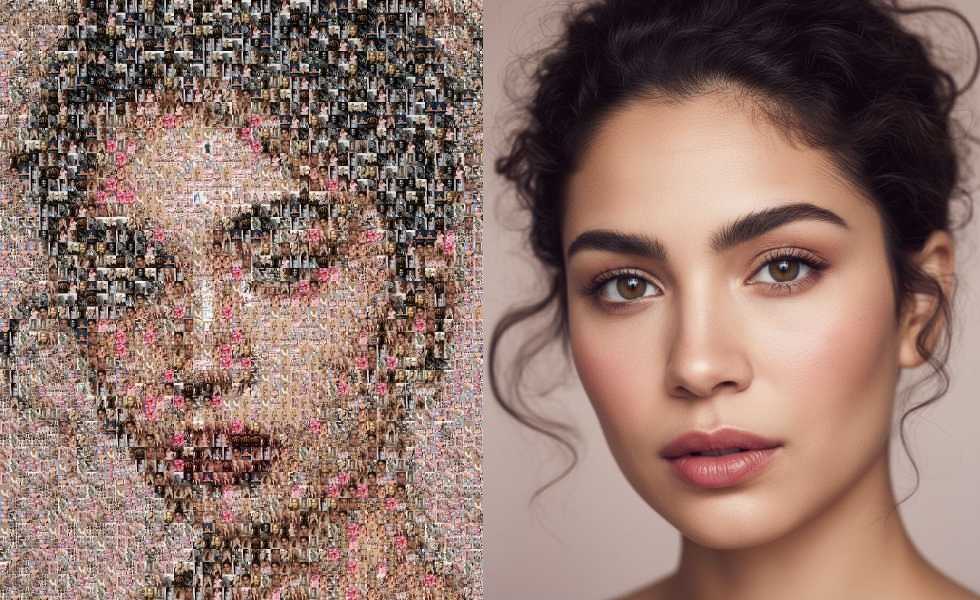 Fig 2. 1bit AI interface—simply drag your image anywhere on the canvas.
How to Remove Mosaic from Pictures Online (3 Steps)
-
Step 1: Upload Your Pixelated Image
Drag & drop any JPG, PNG, WebP or HEIC file into the 1bit AI canvas. Max size 10 MB.
-
Step 2: Choose “Remove Mosaic” Mode
Select Face, Text, or General depending on the censored area. The AI will auto-detect square grids and predict missing pixels.
-
Step 3: Download the Clear Photo
Hit Process → wait 5 seconds → click Download HD. No watermark on free credits.
Comparison: Top 5 Online Mosaic Removers
Tool Free Credits Batch Mode Max Output Speed Watermark 1bit AI 10/day ✅ 50 4096×4096 5 s ❌ Repairit 3/day ❌ 2048×2048 15 s ✅ PicsArt 1/day ❌ 1024×1024 30 s ✅ Fotor 0 ❌ 2048×2048 20 s ✅ Pixelied 0 ❌ 1920×1080 25 s ✅Pro Tips for Perfect Mosaic Removal
- Upload the highest resolution you have – AI can’t invent details that were never there.
- Crop tightly around the pixelated area to reduce processing time.
- Use “Text” mode for blurred serial numbers; it activates OCR + inpainting jointly.
- Enable 4× upscaling before download if you need print-quality results.
- Batch process wedding albums or document scans to save hours of manual work.